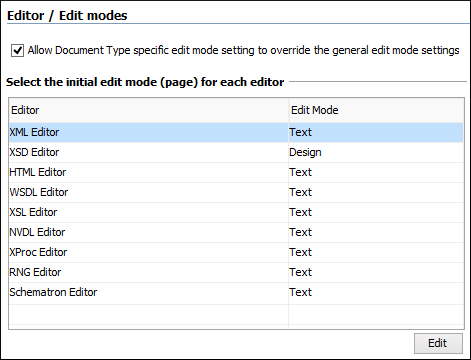
Edit Modes Preferences
Oxygen XML Editor lets you configure which edit mode a file is opened in the first time it is opened. This setting only applies the first time a file is opened. The current editing mode of each file is saved when the file is closed and restored the next time it is opened. To configure the options for editing modes, open the Preferences dialog box and go to .
- Allow Document Type specific edit mode setting to override the general mode setting
- If selected, the initial edit mode setting set in the Document Type configuration dialog box overrides the general edit mode setting from the table below.
- Select the initial edit mode (page) for each editor
- This table specifies the default editing mode that will be opened for each type of
document when the Allow Document Type specific edit mode setting to override
the general mode setting option is not selected. Use the Edit button to change the initial
edit mode for each type of document (editor). The initial edit mode can be one of the
following:
- Text
- Author
- Grid
- Design (available only for the XSD editor).